
Your Mac. Your models.
Nothing leaves.
MLX Fleet is a native control plane for local MLX inference — 100% private, 100% on-device. Built to run on real Apple Silicon configs, not only maxed-out machines. One private endpoint. Four focused apps. Power users drive it with shortcuts.
100% private
No cloud, no telemetry, no remote cache. Your prompts and files never leave the Mac.
100% local
Inference runs on-device through MLX. The API is loopback-only — bound to 127.0.0.1.
Modest configs welcome
Built for real Apple Silicon Macs — not just maxed-out workstations. Pick the model that fits your RAM.
Power-user shortcuts
Select text → shortcut → transform. Quick Actions and Bubble stay under your fingers, not in a browser tab.

Shortcut-first power
Select. Shortcut.
Done.
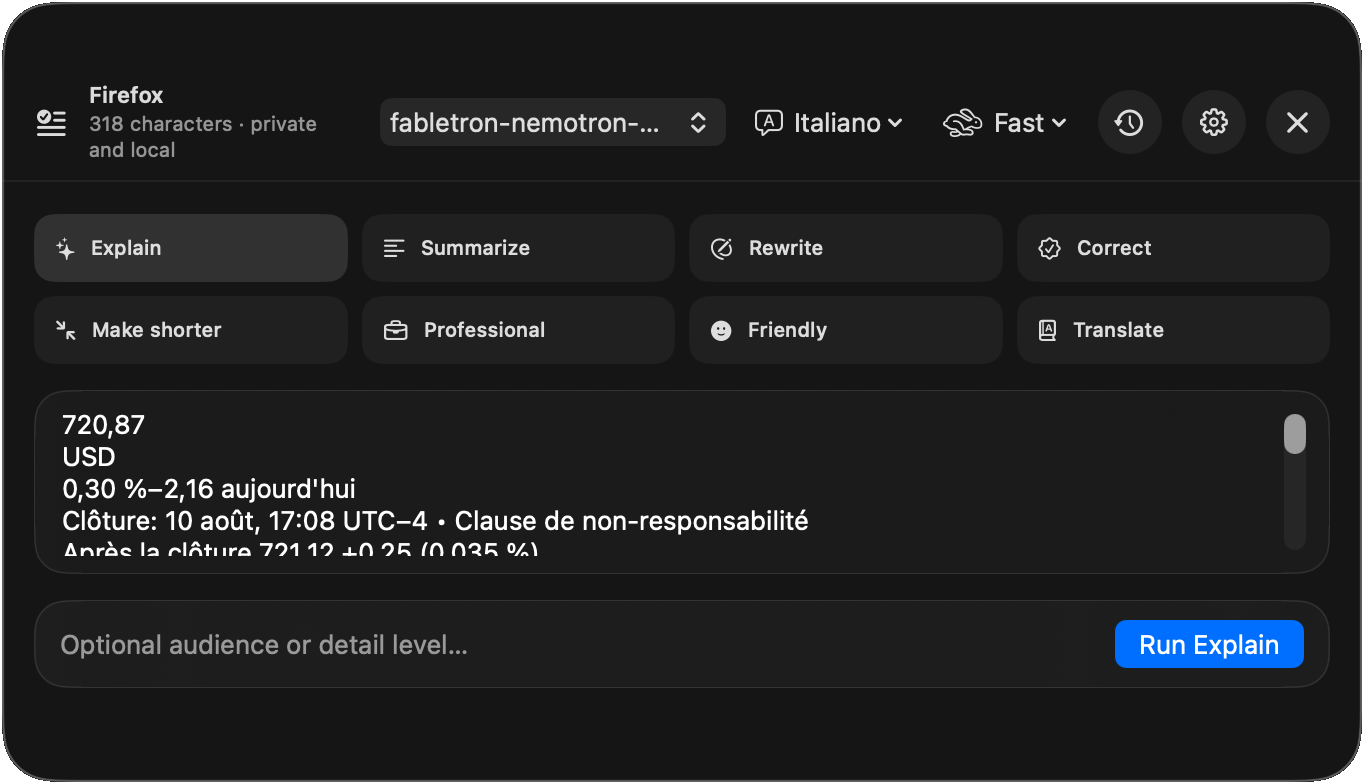
This is built for people who live in the keyboard. Highlight text anywhere, fire a shortcut, and Actions is already filled — explain, rewrite, correct, translate — then copy or replace. No tab. No paste round-trip. No cloud.
- Explain
- Summarize
- Rewrite
- Correct
- Make shorter
- Professional
- Friendly
- Translate
Open Actions on the current selection
Summon the floating assistant without leaving your app
Run Actions from any app’s Services menu
Write the result back into the source when allowed
Select anywhere
Hit the shortcut
Replace in place
Product family
Four apps.
One private endpoint.
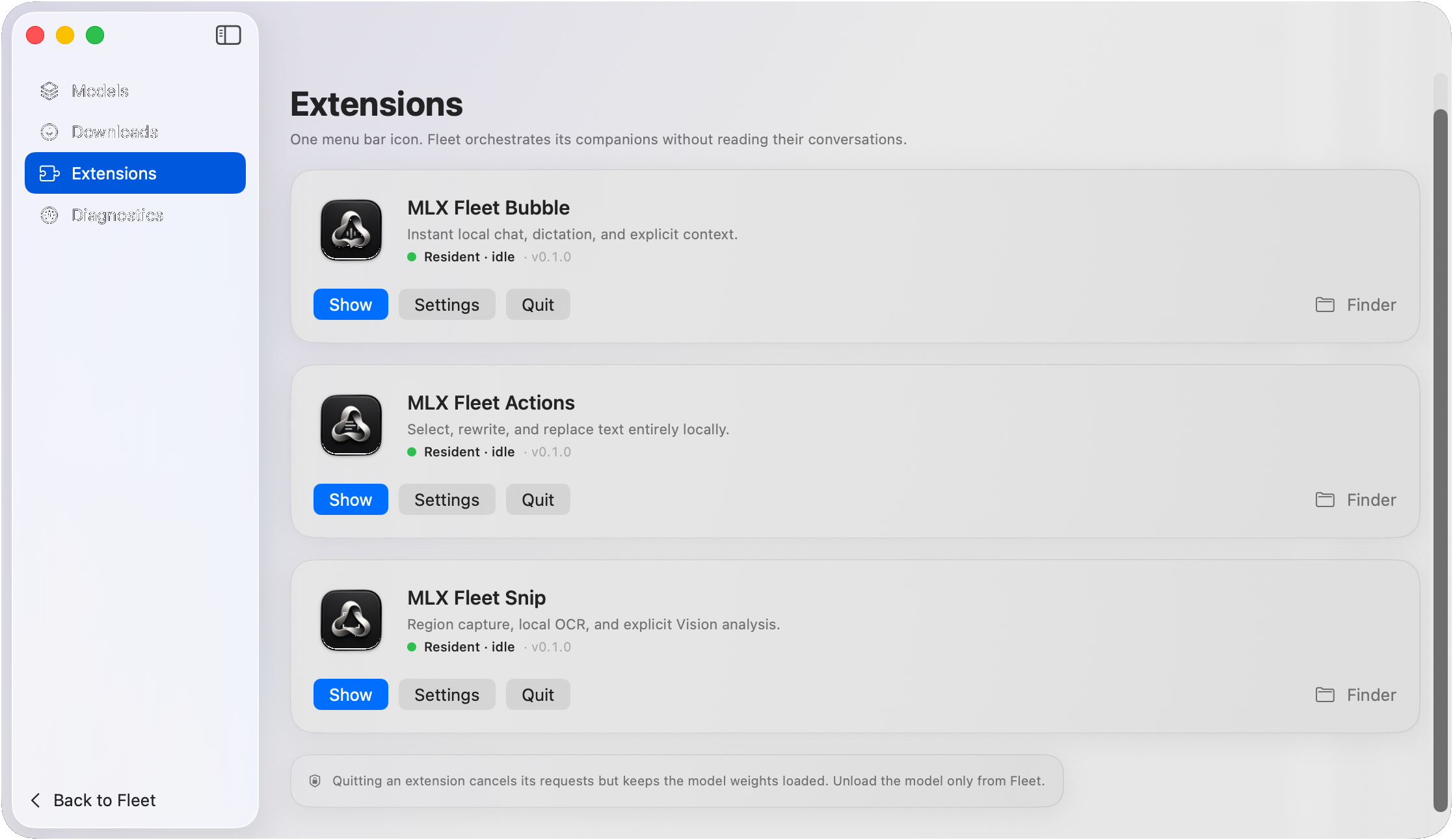
Fleet owns models and the loopback API. Bubble, Actions and Snip are focused companions — each local, each under your control.

MLX Fleet
Models that fit
your machine
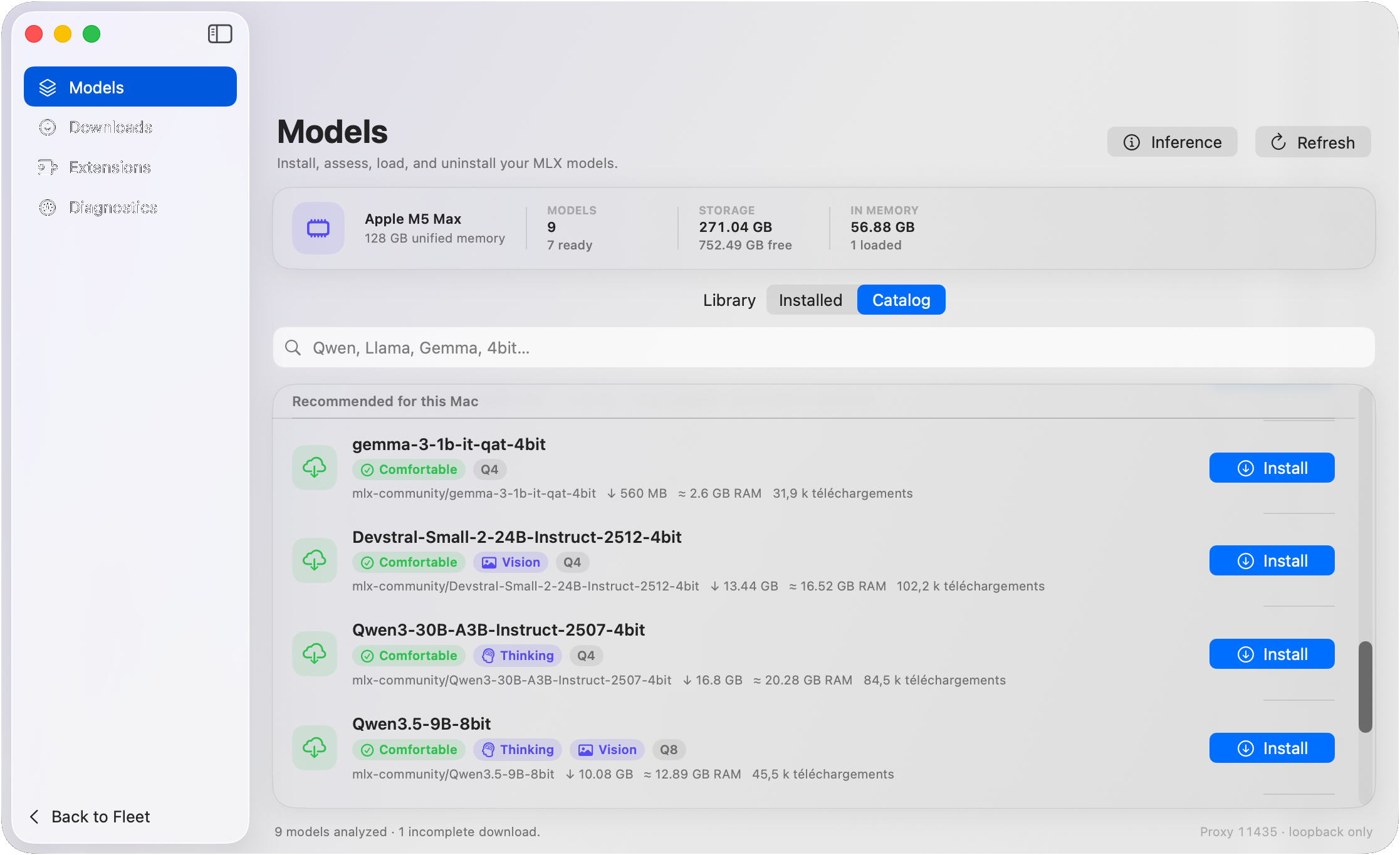
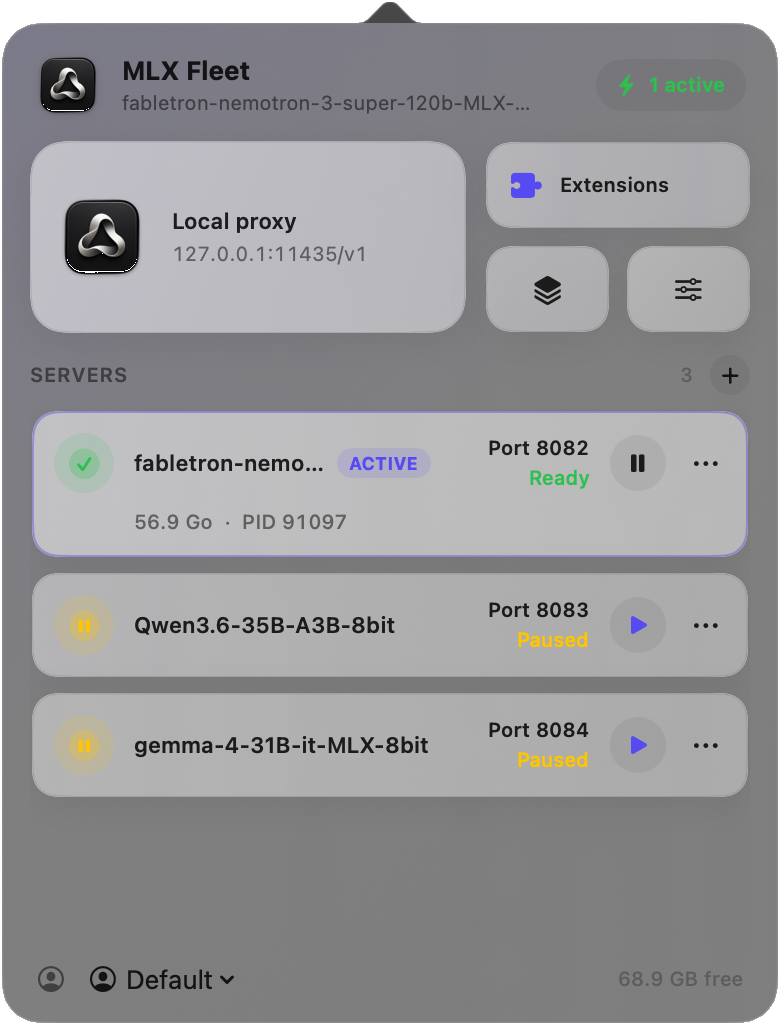
Install, assess and load MLX models sized for the Mac you actually own. Fleet exposes a private OpenAI-compatible proxy on loopback — companions and tools share one local endpoint.
- Catalog, downloads and install health for this Mac
- Pick lighter models when RAM is tight — still fully local
- Menu-bar control plane with active servers and free RAM
- Loopback-only inference proxy — no cloud, no LAN leak

MLX Fleet Bubble
Instant local chat.
One shortcut away.
Summon a floating assistant without leaving your work. Quick questions stay private; Conversation Mode handles multi-turn and files — still fully on-device.

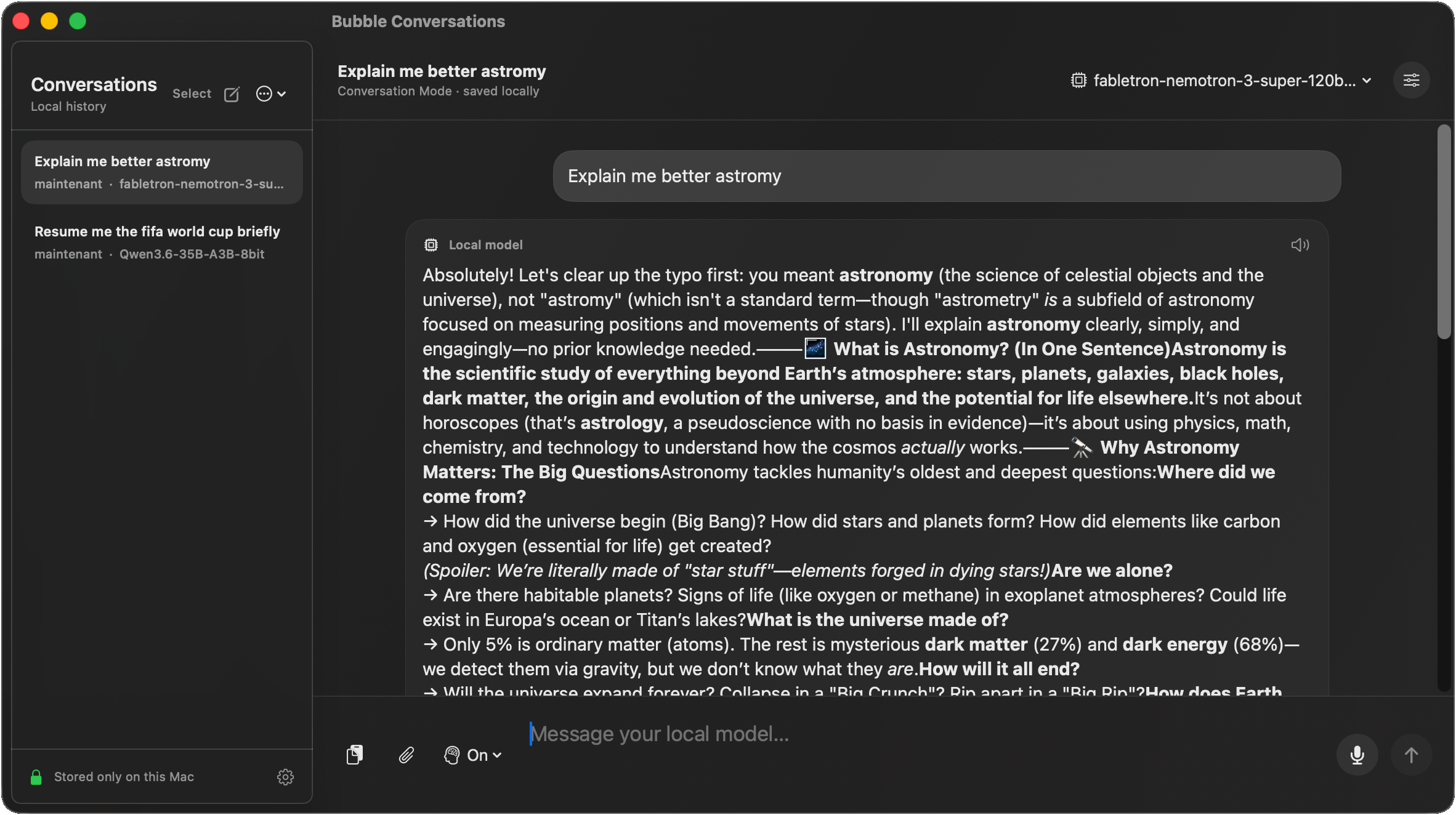
- Stream answers from the exact local model you select
- Shortcut to open — no browser, no account, no cloud
- Attach text, clipboard, files and Vision images explicitly
- On-device dictation in English or French — no cloud fallback
- Read answers aloud; reasoning Automatic / On / Off
- Local history when enabled; purge on session close

MLX Fleet Snip
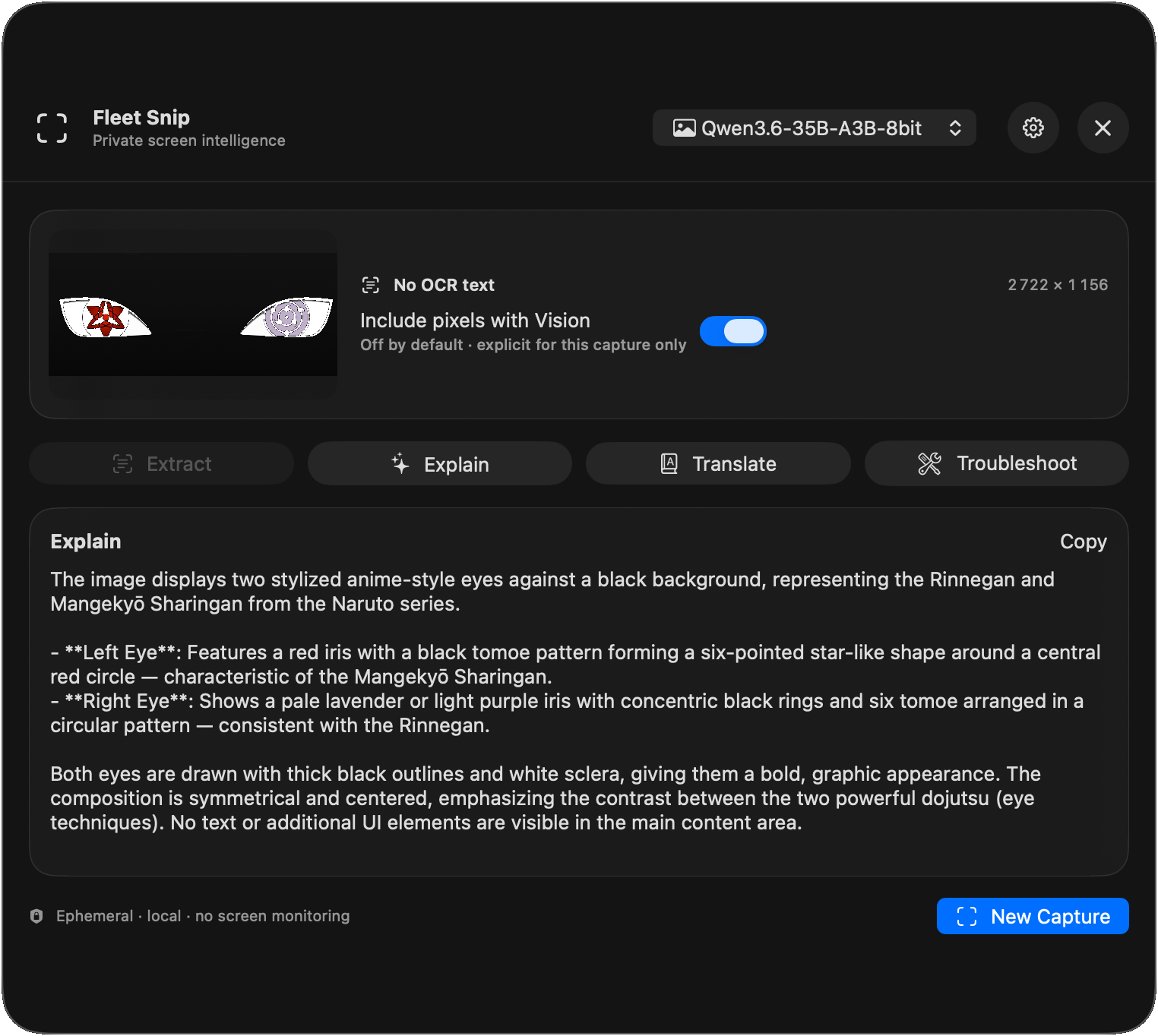
Point at any region.
Extract or explain.
Explicit capture only — no background screen monitoring. OCR by default; Vision pixels only when you toggle them. Private by design, even on modest hardware.
- Region capture with on-device OCR
- Vision explain for charts, UI and images
- Translate and troubleshoot captured content
- Ephemeral by default — nothing leaves the Mac
100% private · 100% local
Privacy by architecture,
not by slogan
No remote inference. No telemetry. No “we might use your data.” MLX Fleet is designed so the private path is the only path — and it still works when you don’t own the biggest Mac.
Inference
100% on-device through local MLX processes — never a remote model host
Network
Inference proxy bound to 127.0.0.1 only. No LAN exposure by default
Telemetry
Zero product telemetry. No remote response cache. Nothing phones home
Bubble context
Files, clipboard and images attached only when you do it explicitly
Actions selection
Read only after a shortcut or Service is invoked — not in the background
Snip capture
Starts only after the shortcut. No continuous screen watcher
Snip pixels
Vision pixels only with an explicit toggle on a capable model
Histories
Stored locally on your Mac, under your control, deletable anytime
Everyday power moves
What people actually do
Shortcuts turn local models into muscle memory — rewrite, explain, snip, ask — without breaking flow or sending a byte off-device.
Understand a difficult email or document
Select it, hit the Actions shortcut, choose Explain
Rewrite a message professionally
Actions → Professional, then Replace selection
Translate selected text naturally
Actions → Translate with the saved language
Ask a quick private question
Shortcut → Quick Bubble — type or dictate, fully offline
Discuss a document over several turns
Bubble Conversation Mode + attach explicitly
Extract text from an image or slide
Capture with Snip → Extract
Understand a chart or interface
Snip Vision toggle, then Explain
Expose a local model to an API client
Point the client to Fleet’s private loopback endpoint
Local API
OpenAI-compatible.
Bound to loopback.
Point any client that speaks the OpenAI HTTP API at Fleet’s private proxy. Same models as Bubble, Actions and Snip — still 100% on this Mac.
- 127.0.0.1 only — not exposed on the LAN by default
- Works with CLI tools, editors and custom clients
- No cloud key, no account — just your local fleet
curl http://127.0.0.1:11435/v1/chat/completions \
  -H "Content-Type: application/json" \
  -d '{
    "model": "fabletron-nemotron-3-super-120b",
    "messages": [
      {"role": "user", "content": "Explain MLX briefly"}
    ]
  }'
Private beta 0.2.0
Install the family
Start with Fleet, then add the companions you need. Apple Silicon Macs on macOS 14+ — including modest configs. Everything stays local.
Private beta software. Expect rough edges. Models and weights are downloaded separately through Fleet — and stay on your machine.